Testing Aleph Code in the Workshop
Aleph tests let you keep validation code next to the functions and classes it protects. The Workshop discovers those tests in the editor, launches them through your connected agent, and shows structured results in the bottom Tests panel.
This tutorial walks through the common workflow: write a small tested file, run one test, run a whole section, run every test in the active file, and inspect failures.
Why Test Aleph Code?
Tests give you a repeatable way to check that code still behaves the way you expect after you edit it. This matters for small utility functions, but it becomes especially important in scientific and numerical work where a change can still produce plausible-looking output while quietly shifting a value, breaking an edge case, or weakening an invariant.
Good tests help you:
- capture assumptions about formulas, units, boundary conditions, and error handling
- catch regressions before they affect longer computations or saved datasets
- document expected behavior with executable examples
- make refactoring safer because you can rerun the checks that describe the old behavior
- debug faster by reducing a failure to a focused input and expectation
Because testing is built into Aleph, you do not need a separate test framework or a different file format. The language understands test, test_section, cases, hooks, and expectations directly, so the Workshop can discover tests without running ordinary script code and can present results as a test tree instead of raw program output.
Colocating tests with the code under test keeps the feedback loop short. When you change a helper function, the examples that protect it are visible in the same editor context, and the Workshop can offer Run Test and Run Test Section actions right where you are working. This also makes tests easier to maintain: when behavior changes intentionally, the implementation and the expectations are edited together instead of drifting apart in a separate test harness.
Prerequisites
This tutorial assumes you are familiar with the Aleph language basics covered in Aleph 101, especially functions, lists, maps, and errors.
- A workspace with a running agent.
- Familiarity with the Workshop editor.
- An Aleph file open in the editor.
For the full matcher reference, see the Test module reference.
Write Your First Test
Create a file named math_checks.aleph in the Workshop:
def add(integer lhs, integer rhs) {
    lhs + rhs
}

def divide(real numerator, real denominator) {
    if (denominator == 0.0) {
        throw(RuntimeError("division by zero"))
    }

    numerator / denominator
}

test_section "math helpers" {
    test "adds integers" {
        expect(add(2, 3)).to_equal(5)
        expect(add(-2, 2)).to_equal(0)
    }

    test "divides real values" {
        expect(divide(9.0, 3.0)).to_equal(3.0)
    }

    test "rejects division by zero" {
        expect(fun[]() { divide(1.0, 0.0) }).to_throw()
    }
}
Each test block is an executable test case. The test_section groups related tests in the editor and in the results panel. Expectations use expect(...) followed by a matcher such as to_equal, to_throw, or to_throw_message.
Normal script execution ignores test and test_section blocks. They are only run when you launch tests from the Workshop.
Run One Test
When the file is open, the Workshop displays a Run Test CodeLens above each test. Click it above adds integers to run only that test case.
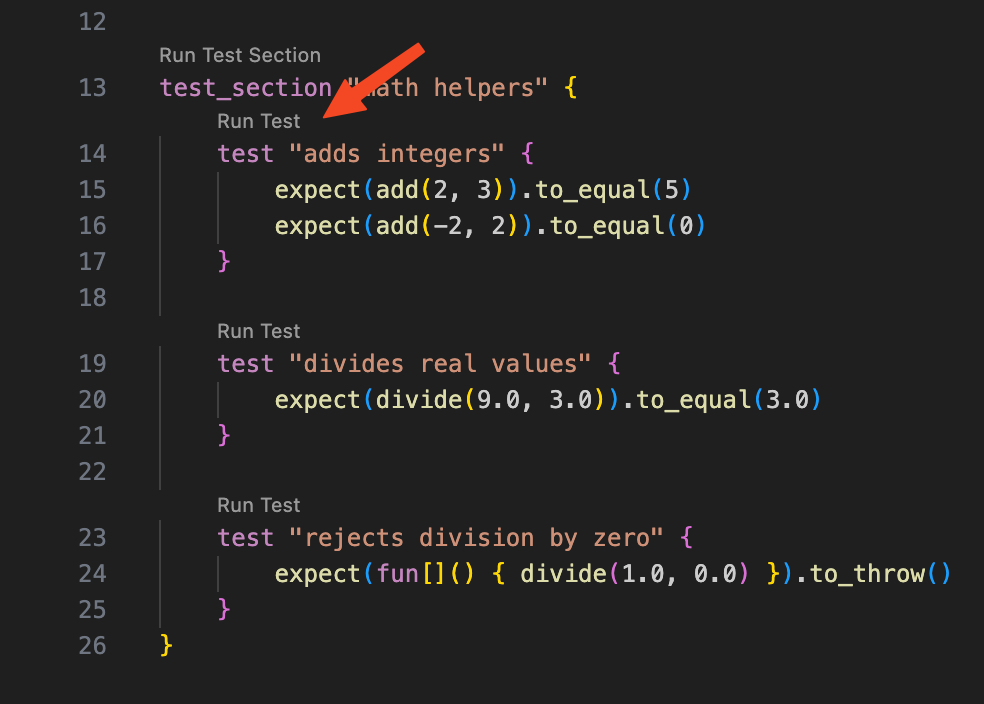
Use this when you are actively editing one behavior and want the fastest feedback. The test run is launched through your selected workspace agent.
Run a Test Section
The Workshop also displays Run Test Section above a test_section. Click it above math helpers to run every test in that section.
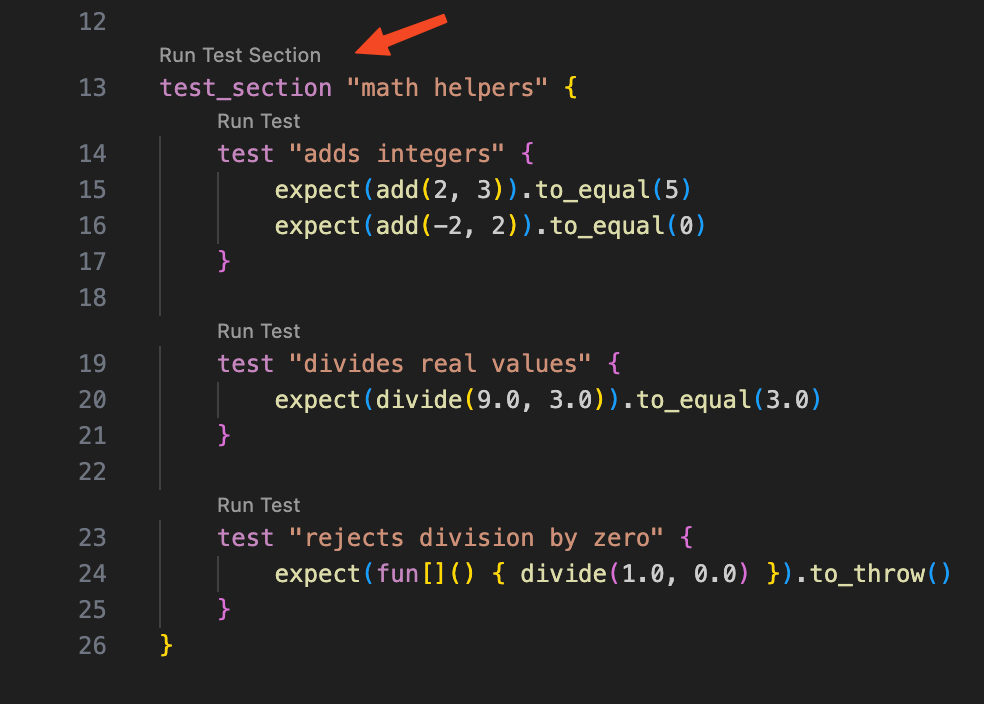
Sections are useful when a file contains several independent areas, such as parsing, numerical helpers, and output formatting. Running the section keeps the feedback focused while still covering related behavior.
Run Every Test in the File
To run all discovered tests in the active file, use the editor action menu and select Run Tests.
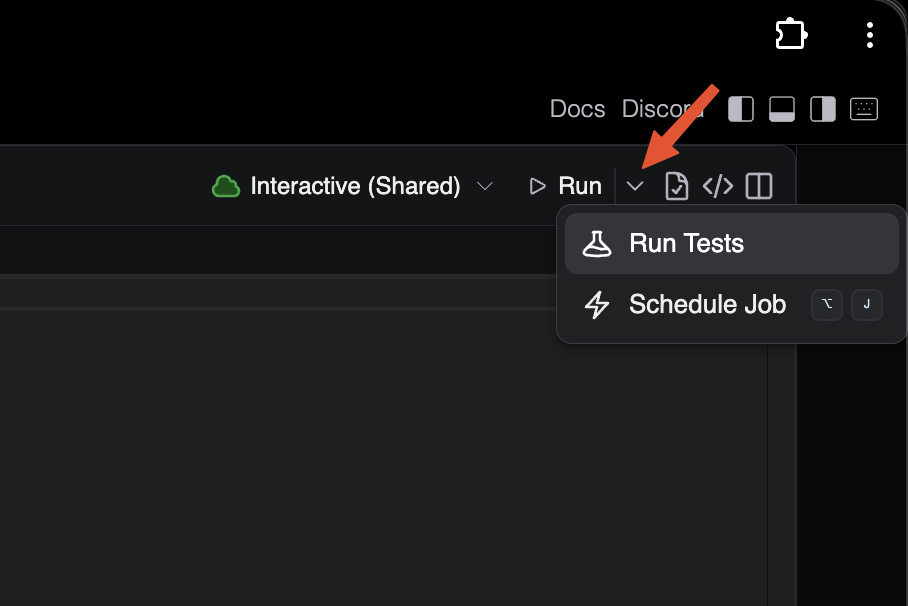
This runs every top-level test and every test inside the file's sections. Tests from included files are not run just because they were included; open and run those files directly when you want their tests.
Inspect Results
After a run starts, the bottom Tests panel opens. The panel shows a tree of the tests that ran, their status, timing, and details for failures.
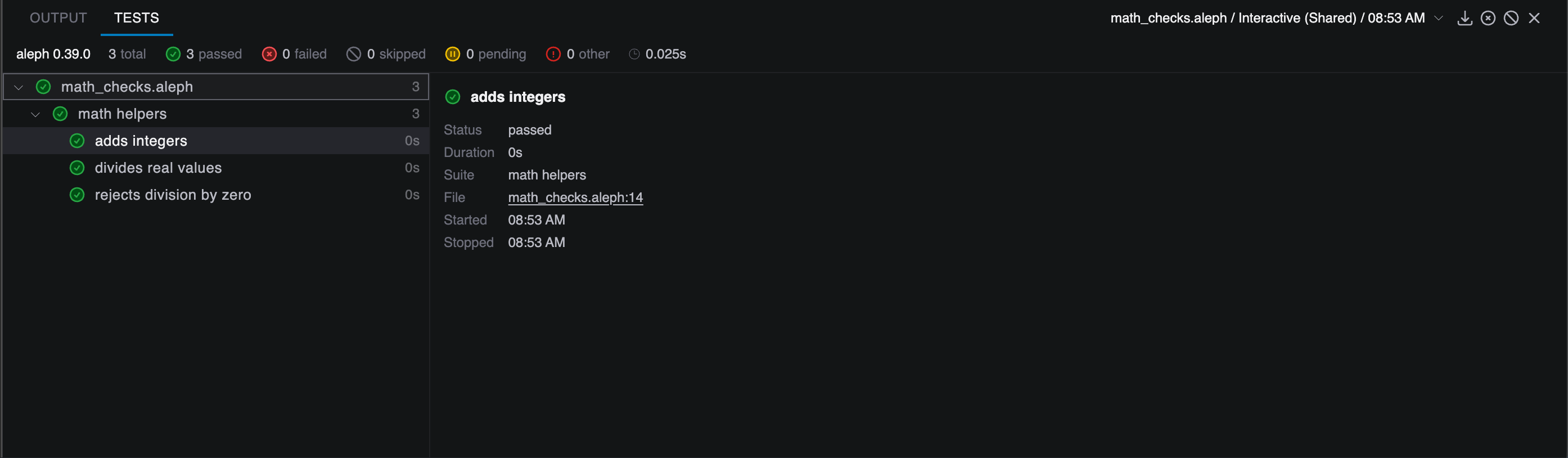
Select a failed test to inspect the recorded expectation failures. Aleph keeps collecting failed expectations in a test by default, so one run can show several related problems instead of stopping at the first mismatch.
You can add a custom message to make failures easier to understand:
test "adds integers" {
    expect(add(2, 3)).to_equal(5, ["message": "positive integers should add normally"])
    expect(add(-2, 2)).to_equal(0, ["message": "opposite integers should cancel"])
}
Use "stop": true when later checks would be noisy or misleading after a failure:
test "validates a result object" {
    var result = ["ok": true, "values": [1, 2, 3]]

    expect(result["ok"]).to_equal(true, ["stop": true])
    expect(result["values"]).to_have_length(3)
}
Add Parameterized Tests
Parameterized tests run the same body against several input rows. Add this test inside the existing math helpers section:
test "adds many integer pairs"(lhs, rhs, expected)
cases [
    [1, 2, 3],
    [0, 0, 0],
    [-5, 2, -3],
    [100, -40, 60]
] {
    expect(add(lhs, rhs)).to_equal(expected)
}
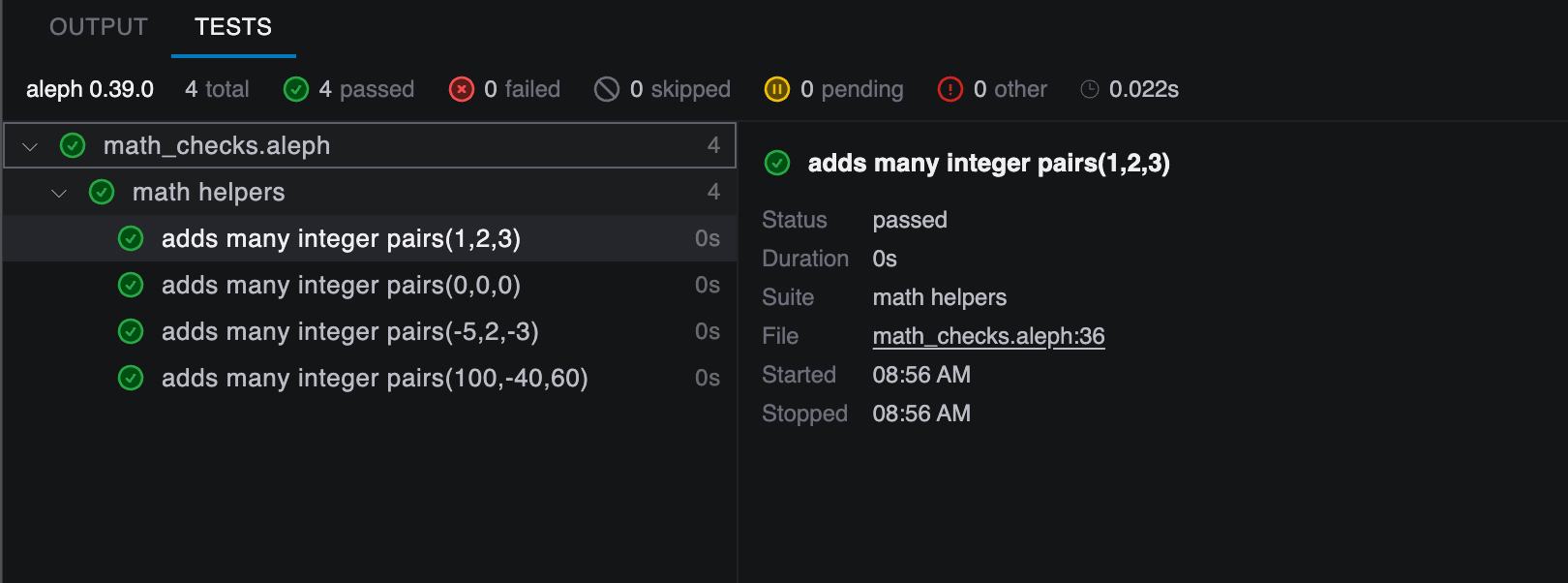
Each row in cases is bound to the parameters declared after the test name. In the Tests panel, the parameterized test expands into separate results, so you can see which input row passed or failed.
The cases clause must come before options when both are present:
test "division examples"(numerator, denominator, expected)
cases [
    [9.0, 3.0, 3.0],
    [10.0, 4.0, 2.5]
]
options [
    "timeout": 1000
] {
    expect(divide(numerator, denominator)).to_equal(expected)
}
Use Tolerances for Numerical Code
For real and complex values, to_equal uses tolerant comparison by default. You can set tolerances for a whole test with options, then override a single expectation when needed:
def approximate_pi() {
    3.1415926535
}

test "pi approximation is close enough"
options [
    "abs_tolerance": 1e-8,
    "rel_tolerance": 1e-8
] {
    expect(approximate_pi()).to_equal(3.14159265)
    expect(approximate_pi()).to_equal(3.1415926535, ["strict": true])
}
Use "skip": true when you want to keep a test in the file but temporarily exclude it from runs:
test "future behavior"
options [
    "skip": true
] {
    expect(false).to_equal(true)
}
Use Hooks for Shared Setup
Leaf test_section blocks can define setup and cleanup hooks:
test_section "accumulator" {
    var base_values
    var values
    var total
    var tests_started

    before_all {
        base_values = [1, 2, 3]
        tests_started = 0
    }

    before_each {
        values = base_values
        total = 0
        tests_started += 1
    }

    after_each {
        values.clear()
    }

    after_all {
        print("Ran ${tests_started} accumulator test")
    }

    test "sums values" {
        for (value : values) {
            total += value
        }

        expect(total).to_equal(6)
        expect(tests_started).to_equal(1)
    }
}
Use before_all and after_all for setup and cleanup shared by the whole section. Use before_each and after_each for state that should be recreated for every test case, including every parameterized case. Keep expectations in test blocks; hooks are for preparing and cleaning up state.
Important Execution Rules
- Tests can be top-level or grouped under
test_section. - Hooks and section-scoped
vardeclarations belong inside leaftest_sectionblocks. - Expectations belong in
testblocks, not hooks. - Normal script execution ignores tests.
- When the Workshop runs tests, ordinary top-level executable statements are skipped.
- Function declarations, class declarations, includes, and test declarations remain available.
- Runtime state needed by a test should be created in the test body, a helper function, or a hook.
What To Do Next
- Add a few tests next to an existing Aleph helper function.
- Try a parameterized test for edge cases such as zero, negative values, and empty lists.
- Open the Test module reference and try matchers such as
to_contain,to_have_length,to_have_type, andto_satisfy.